
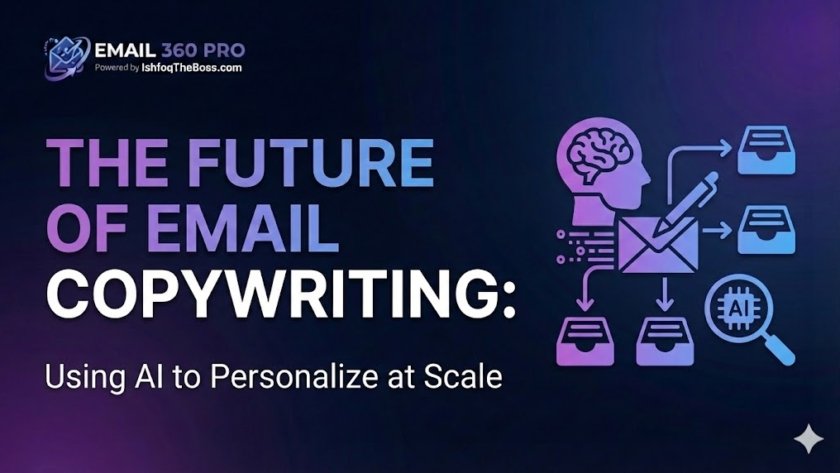
AI-driven email copywriting is the use of Large Language Models (LLMs) like Google Gemini and GPT-4 to generate hyper-personalized sales outreach at infinite scale. Unlike traditional mail merges that simply swap {{FirstName}}, modern AI analyzes a prospect’s website, LinkedIn profile, and recent news to construct unique “icebreakers” and value propositions for every single recipient, making 100,000 emails feel like 1-to-1 conversations.
The Death of “Hi {{FirstName}}”
For the last decade, “personalization” meant inserting a first name and maybe a company name. In 2026, prospects are immune to this. They know it’s a script.
To convert cold traffic at high volume (100k+/month), you face a paradox:
- Generic templates get deleted instantly (0.1% reply rate).
- Hand-written emails take 10 minutes each (impossible to scale).
The Solution: AI Agents. By integrating LLMs directly into your sending infrastructure (like Email 360 Pro’s Gemini integration), you can auto-generate unique copy for thousands of leads in minutes. This guide explains how to engineer the perfect AI writing workflow.
1. The Psychology of AI Personalization
Why does AI copy often outperform human junior copywriters? Consistency and pattern matching.
The “Pattern Interrupt” Strategy
The human brain filters out noise. Standard cold emails look like noise.
- Old Way: “I saw you work at {{Company}}.” (Boring, obvious data scrape).
- AI Way: “I noticed {{Company}} just launched the new X feature last Tuesday—congrats on the swift rollout.” (Specific, timely, proves research).
AI can scrape the “News” section of a company website and inject that specific detail into the first line. This is a Pattern Interrupt. It forces the prospect to stop scanning and start reading.
2. LLM Wars: Gemini vs. GPT for Sales
Not all AI models are built the same. For high-volume email, you need speed and specific reasoning.
- ChatGPT (GPT-4o): Excellent for creative storytelling and long-form content. Sometimes too “flowery” or verbose for cold email.
- Google Gemini (Pro/Flash): Highly integrated into Google Workspace data. It tends to be more factual and concise—perfect for B2B sales where brevity is king.
- Claude 3: Best for “human-sounding” tone and nuance, minimizing the robotic feel.
Our Recommendation: Use Gemini for drafting initial outreach (due to speed and fact-checking) and Claude for rewriting generic templates to sound human.
3. Prompt Engineering for Sales: The Frameworks
You cannot just tell AI to “write a cold email.” You get garbage. You must use structured prompting.
The “P-A-S” Prompt
Structure: Pain – Agitate – Solution.
Prompt: “Act as a B2B Sales Expert. Write a 50-word cold email to {{JobTitle}} at {{Company}}.
- Pain: Mention the difficulty of {{SpecificPainPoint}}.
- Agitate: Ask a rhetorical question about the cost of ignoring this.
- Solution: Pitch our tool, {{Product}}, as the fix. Keep it under 75 words. No fluff. No hashtags.”
The “Icebreaker” Prompt
Instead of writing the whole email, use AI only for the first sentence.
Prompt: “Analyze the website text provided in Column C. Write a 1-sentence compliment about their recent case study or blog post. Be casual. Start with ‘Just read about…’.”
4. Avoiding the “Uncanny Valley”
The biggest risk with AI copy is sounding almost human, but slightly “off.” This triggers a trust alarm in the prospect’s brain.
Top AI Tells to Avoid:
- “I hope this email finds you well.” (The #1 AI cliché. Ban it.)
- “In the dynamic landscape of…” (Corporate gibberish.)
- “Delve,” “Unlock,” “Unleash.” (Words AI loves but humans rarely use in chat.)
The Fix: Use a “Negative Prompt.”
Instruction: “Do NOT use the words: delve, unlock, landscape, synergy, game-changer. Write like a text message to a colleague. Use lowercase for the subject line.”
5. Scale & Automation: The Workflow
How do you do this for 50,000 leads? You don’t paste them into ChatGPT one by one.
- Enrichment: Upload your CSV to an enrichment tool (Clay, Apollo) to get LinkedIn URLs and Website data.
- The API Call: Your sending platform (Email 360 Pro) sends this data to the LLM via API.
- Variable Injection: The LLM returns a unique sentence for each row (e.g.,
{{AI_Icebreaker}}). - Spintax Layering: The rest of the email uses Spintax for the offer (e.g.,
{We help|We support} companies like yours...). - Review: Humans spot-check 10 random emails. If they look good, hit send on all 50k.
Frequently Asked Questions (FAQ)
Q1: Can spam filters detect AI-written emails? A: Not directly. Spam filters look for metadata, domain reputation, and identical content hashes. They do not have a “Turing Test” for style. In fact, because AI generates unique variations for every email, it helps avoid spam filters by preventing content fingerprinting.
Q2: Is it better to write long or short emails with AI? A: Short. Always short. AI tends to ramble. Force a constraint in your prompt: “Strictly under 75 words.” Data shows emails under 100 words have the highest reply rates in 2026.
Q3: How much does it cost to personalize 100k emails with AI? A: It is incredibly cheap. Using the Gemini Flash or GPT-4o-mini API, processing 100,000 prompts might cost $20-$50 total. This is infinitely cheaper than hiring a VA.
Q4: Can AI halluncinate fake facts about my prospects? A: Yes. If you ask AI to “congratulate them on their recent news” and there is no news, it might invent some. Fix: Set the “Temperature” setting to 0 (strict) and instruct the AI: “If no news is found, use generic backup opener: ‘Impressed by what you’re building at {{Company}}’.”
Q5: Should I use AI for the Subject Line? A: Yes. AI is excellent at pattern matching successful subject lines. Ask it to generate 10 variations based on the prospect’s industry. Example: “Question for {{Name}} regarding {{Industry}}.”
Q6: Does personalized AI copy actually increase conversion? A: Yes. A generic blast gets ~0.1% to 0.5% reply rate. A proper AI-personalized campaign can hit 3% to 8%. On a list of 100,000, that is the difference between 100 leads and 8,000 leads.
Q7: What is “Liquid Syntax” vs. AI? A: Liquid Syntax is logic-based (e.g., If Industry = Tech, say X). AI is generative (creating new text from scratch). AI is more powerful but harder to control. Smart campaigns use both.
Q8: Can AI write follow-up emails too? A: Absolutely. In fact, AI is better at follow-ups because it can reference the previous email. Prompt: “Write a 30-word nudge referencing my previous email about {{Topic}}. Be polite but persistent.”
Q9: Is it legal to use AI for sales outreach? A: Yes. There are no laws prohibiting the use of AI to draft emails. The legal requirements (CAN-SPAM, GDPR) apply to sending (consent, opt-out), not drafting.
Q10: Which AI model is best for non-English languages? A: GPT-4o and Gemini Pro are currently the leaders in multilingual capabilities. They can translate slang and cultural nuance far better than Google Translate.
Q11: How do I stop AI from sounding robotic? A: Feed it “Few-Shot Examples.” Give the AI 3 examples of emails you wrote that you like. Tell it: “Analyze the tone and sentence structure of these examples and write the new email in this exact style.”
Q12: Can AI analyze the prospect’s LinkedIn profile? A: Yes, if you use a tool that scrapes the LinkedIn text first. You cannot paste a URL into standard ChatGPT (it can’t browse behind login walls). You need a scraper + LLM workflow.
Q13: What is “Temperature” in AI settings? A: Temperature controls creativity (0 to 1). For cold email, keep it low (0.2 – 0.4). You want consistent, professional outputs, not “creative” hallucinations.
Q14: Should I mention I used AI in the email? A: No. The goal is to feel human. Revealing the magic trick breaks the illusion of personal connection.
Q15: What is the biggest mistake people make with AI email? A: Trusting the first draft. AI is a volume generator, not a closer. You must iterate on your prompts. If the output is bad, it’s not the AI’s fault—it’s your prompt’s fault.
The Prompt Library
Stop guessing. Get our top 50 copy-paste prompts for Sales, Follow-ups, and Break-up emails.
[Link: Access the Email 360 Pro Prompt Library]