

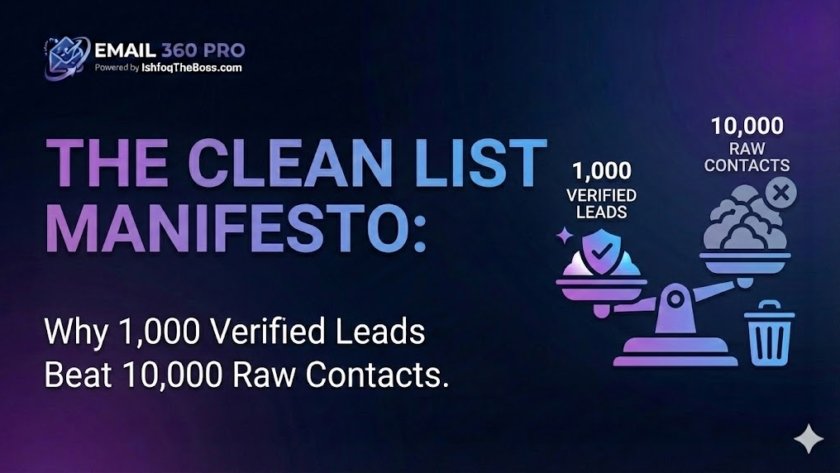
Data hygiene in cold email is the rigorous process of verifying, scrubbing, and segmenting prospect lists to ensure near-zero bounce rates before a campaign launches. At the enterprise scale of 100,000+ emails per month, data quality is not just a metric—it is the primary firewall protecting your domain reputation. Sending to invalid emails is the fastest way to get blacklisted by Google and Microsoft.
The “Dirty Data” Tax
Most novice growth hackers obsess over quantity. They scrape 50,000 leads from Apollo or LinkedIn and immediately upload them to their sending tool.
The result? A 15% bounce rate, immediate suspension by their email provider, and a burned domain that cost $2,000 to warm up.
In 2026, Deliverability = Reputation x Engagement. If you send to ghosts (invalid emails) or traps, your reputation tanks, and your engagement drops to zero. This guide details the industrial-grade cleaning protocols required to maintain a <1% bounce rate at scale.
1. The Anatomy of a Bounce: Why Emails Fail
To fix bounces, you must understand them. Not all bounces are equal.
Hard Bounces (The Domain Killers)
- Definition: The recipient’s address does not exist. The server rejected it permanently.
- Cause: Typo (
gmal.com), employee left the company, or the domain expired. - Impact: Google sees a hard bounce as a signal that you are a spammer scraping old lists. Threshold: If your hard bounce rate exceeds 3%, your inbox placement plummets.
Soft Bounces (The Warning Shots)
- Definition: The email is valid, but couldn’t be delivered right now.
- Cause: Mailbox full, server down, or message file size too large.
- Impact: Less severe, but repeated soft bounces eventually turn into a hard block.
2. The 4-Step Cleaning Pipeline
You cannot rely on the “verified” checkmark from your lead source (ZoomInfo, Apollo, etc.). Their data decays by 3-5% monthly. You must run your own independent verification.
Step 1: Syntax Check
The most basic filter. It removes formatting errors.
- Removes:
john.doe@company,jane@@gmail.com,bob@company..com.
Step 2: DNS & MX Record Check
Does the domain actually exist? Does it have a mail server (MX record) aimed at it?
- Action: If a domain has no MX record, it cannot receive email. Delete it immediately.
Step 3: SMTP Handshake (The “Ping”)
The verifier connects to the recipient’s mail server and asks, “Does this user exist?” without actually sending an email.
- Response codes:
250 OK(Valid),550 User Unknown(Invalid).
Step 4: Catch-All Detection
The trickiest part. Some servers are configured to accept everything sent to them (Catch-All), even if the user doesn’t exist.
- Risk: Catch-alls often report “Valid” initially but bounce later or are used as “Spam Traps.”
3. The Catch-All Dilemma: Gamble or Safe?
At 100k volume, Catch-All emails usually make up 30-40% of your list.
- The Safe Strategy: Delete all Catch-Alls.
- Pros: <0.5% bounce rate. Perfect safety.
- Cons: You throw away 40% of your leads (potential revenue).
- The Aggressive Strategy: Send to Catch-Alls using “Burner Domains.”
- Tactic: Segment your list. Send “Valid” emails from your Tier A domains. Send “Catch-Alls” from your Tier B/C domains. If a Tier C domain burns, you haven’t lost your primary infrastructure.
4. Spam Traps: The Invisible Enemy
Spam Traps are valid email addresses created solely to catch spammers. They never sign up for anything. If you email one, you are guilty.
- Pristine Traps: Created by ISPs (Google/Outlook). Hitting one causes an immediate blacklist (e.g., Spamhaus).
- Recycled Traps: Old emails (e.g.,
bob@yahoo.com) that were inactive for years and reactivated by the provider as a trap. - The Fix: Never buy “cheap” lists from forums. Only use reputable data providers and clean your list regularly. If a lead hasn’t opened an email in 6 months, stop emailing them.
5. Legal Prospecting: GDPR & CCPA
When building lists at scale, you must respect privacy laws to avoid massive fines.
The “Legitimate Interest” Defense (GDPR)
In Europe, you can cold email B2B prospects if you have a “Legitimate Interest.”
- Relevance: The offer must be logically relevant to their job (e.g., selling HR software to an HR Director).
- B2B Only: Never email personal addresses (
@gmail.com,@yahoo.com) for business in Europe. - Opt-Out: You must provide an easy way to unsubscribe.
The “Do Not Email” Lists
Before uploading a list, scrub it against “Do Not Contact” registries and your own internal blacklist (previous unsubscribes).
- Email 360 Pro Feature: Our Global Blacklist ensures that if a prospect unsubscribes from Campaign A, they are never accidentally emailed in Campaign B.
Frequently Asked Questions (FAQ)
Q1: How accurate are email verification tools? A: Top-tier verifiers are 97-99% accurate. No tool is 100% because “Catch-All” servers are designed to hide the truth. This is why you must plan for a 1-2% bounce rate even with verified lists.
Q2: Does verifying emails hurt my domain reputation? A: No, because verification happens via a server “ping,” not by sending an actual email. The recipient never sees it, and it doesn’t count as sent mail.
Q3: How often should I clean my list? A: B2B data decays at ~25% per year (people change jobs). If you downloaded a list 3 months ago, verify it again before sending. Always verify immediately before upload.
Q4: What is a “Honeypot”? A: A Honeypot is a type of spam trap found on websites. Bots scraping websites often pick up invisible emails hidden in the code (e.g., hidden@company.com). If you email this, you are flagged as a scraper.
Q5: Can I send to info@ or support@ addresses? A: You can, but you shouldn’t. These are “Role-Based Accounts.” They have low open rates, are often shared by teams, and have a high complaint rate. Stick to personal corporate emails (name@company.com).
Q6: Why do some valid emails still bounce? A: This is usually a false positive from a spam filter. The email exists, but their firewall (like Barracuda or Mimecast) blocked your content or IP. This is a “Block,” not a “User Unknown” error.
Q7: Is it illegal to scrape emails from LinkedIn? A: Scraping public data is generally a gray area but widely practiced. However, LinkedIn’s Terms of Service prohibit it. Using 3rd party tools (like Apollo/Clay) effectively outsources this risk.
Q8: What is “Grey-Listing”? A: Some servers reject an email temporarily (451 error) to see if the sender is a real server. Real servers retry; spam bots usually don’t. A good sending tool automatically retries these after 15 minutes.
Q9: How do I remove duplicates from my list? A: Most sending platforms (like Email 360 Pro) have “Deduplication” on upload. You should check for duplicates by email address AND by domain (to ensure you aren’t spamming 50 people at the same small company on the same day).
Q10: What is a “Disposable Email Address”? A: These are temporary emails (e.g., 10minutemail.com) used by people to sign up for freebies without getting spam. You should instantly delete these from your list; they are worthless for sales.
Q11: Should I buy email lists? A: Never buy “pre-made” lists (e.g., “10,000 Doctors in USA”). These are sold to thousands of people and are full of spam traps. Instead, use “Search & Export” tools (Apollo, ZoomInfo) to build a custom list matching your criteria.
Q12: How do I handle “Out of Office” replies? A: Good software detects OOO replies and pauses the sequence for that lead. Do not mark them as bounces. They are valid leads who are just away.
Q13: What is the average bounce rate for cold email? A:
- Excellent: < 1%
- Average: 2-4%
- Danger Zone: > 5%
- Note: If you hit >5% consistently, you will be blocked.
Q14: Can I guess emails (e.g., firstname.lastname@company.com)? A: This is called “Permutation.” It is very risky because you will generate many invalid emails. Only do this if you have a robust verification step that deletes the failures before you email them.
Q15: What is the difference between “Valid” and “Accept All”? A:
- Valid: We are 100% sure the user exists.
- Accept All (Catch-All): The domain accepts mail, but we can’t verify the specific user. Proceed with caution.
The Clean List Protocol
Before you launch your next campaign, run the protocol:
- [ ] Export raw leads from source.
- [ ] Deduplicate against current customers and opt-outs.
- [ ] Verify via a 3rd party tool (Never skip this).
- [ ] Segment out Catch-Alls (or route to burner domains).
- [ ] Format CSV with clean columns (First Name, Company, Title).
[Link: Use Email 360 Pro’s Built-in Verifier]